 Chris Shire
So how is your week going, because I have been battling with routers and having a functioning network since last Saturday.
Strap in, it’s quite a saga.
The discovery
So 6am Saturday morning I am up and notice no network connection…odd. A quick examination reveals the culprit - my Protectli VP2420 is dead. No response at all. Oh dear.
I find the old Asus router I had been keeping at the back of a cupboard for 10+ years for emergencies and get it plugged into the modem. We now have…some…network connectivity. I run an iOT VLAN and the Asus router can’t orchestrate that, let alone the other stuff I run in Opnsense. To be honest, this thing is so old it’s beyond the “put out to pasture” stage and far closer to “take it behind the shed and put it out of it’s misery”. Asus even deems it EOL.
Not having the iOT VLAN means no lights, no functional home assistant and the old router is about as secure on the internet as fixing your front door shut with a piece of string. I don’t have a great deal of choice though…until it occurs to me that my Proxmox host could, in theory, have Opnsense moved to it. It only has one network port, but it turns out that an old USB-C laptop hub I have has an ethernet port. It’s recognised in Proxmox and I pass it through to an Opnsense VM as the WAN port and restore from an Opnsense backup xml.
It’s always DNS
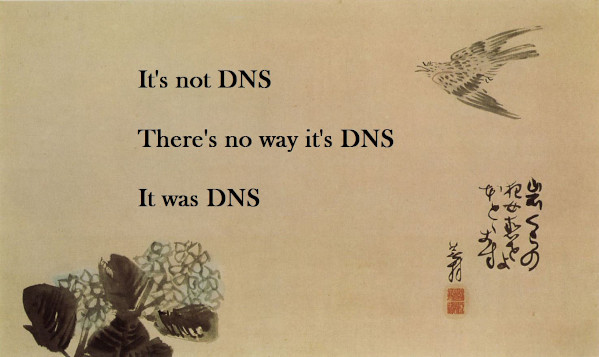 It works!
Well, it sort of works.
Ok, to be honest it’s absolute dogshit.
First, I have to install ISC-DHCP from plugins to get my network static host addresses. Then I have to learn how to transition DHCP to Dnsmasq because ISC-DHCP went EOL and I didn’t pay enough attention to migrate. Additionally, Unbound keeps crashing for some reason. When Unbound crashes, it seems to take Dnsmasq with it. Now, this could have been from the USB-C hub flapping and being less than ideal as a network interface. It could have been because the Proxmox bridge between Opnsense and all the other VMs and containers didn’t like a PiHole container that I was previously using for local DNS. Whatever the problem, Dnsmasq and/or Unbound would crash; sometimes every couple of minutes, sometimes after an hour, sometimes after 12 hours. It was completely random and drove me nuts. Both DNS and DHCP seemed to be broken.
Solutions start to appear
Now someone living in an apartment that wasn’t shoebox sized might have just gone out and bought a dual NIC mini-PC. This is easy enough to do in Hong Kong given all the reasonable Chinese manufacturers who have recently been churning out just those sorts of PCs. However, I had some pretty specific requirements to fit into this tiny home. I really needed something fanless - PC fans don’t make very much noise, but I have a homelab in my living room and I didn’t need to add to the noise.
I had previously been using a Protectli VP2420, but had since realised they were more or less the same as Topton boxes on Aliexpress (albeit with Coreboot installed for the BIOS). I ordered an equivalent Topton box, but that was going to take over a week with shipping. It was also not cheap.
I also wondered about the empty expansion port space on the Asus NUC I was using as my Proxmox host. Turns out, there is a 2.5g NIC expansion you can buy to expand the number of network ports to two. Or…you would be able to if any of the distributors shipped to Hong Kong. After a seriously frustrating couple of hours, it dawned on me that I was going to have to resort to..Taobao. I do not know how to use Taobao.
Luckily, the wife is pretty handy with this so a reverse image search later and someone has the part! It would take a few days to ship though…it was ordered anyway.
The Protectli rollercoaster
In the meantime I started with Protectli support. Unfortunately the VP2420 died two months outside of warranty.
Bastard! However, Protectli support said they would still honour the warranty if I paid for shipping to and from their base in the USA. “Great!” I naively thought.
You see, Hong Kong post does not currently deliver anything other than documents to the USA due to policies first put in place by the current US administration. This meant that I had to use companies like FedEx, DHL etc. I won’t reveal how much I paid…but that and the return label would make the replacement more expensive than just buying a new VP2420. I was a bit stunned to be honest. However, after over an hour in the FedEx office looking up HTS codes, having to refill in the same paperwork four times* and pleading with the staff to please just give a little bit of help, I was in a bad place. The price was paid and I didn’t really need that kidney anyway, i guess.
However, I was not going to pay the return shipping, it was three times more than to send it and I really needed the kidney I had left. Luckily, Protectli realised that they only charge $46USD to send out new boxes and so just quoted me that price instead. I suppose that’s a win, but given the amount of money I had bled over the past few days I don’t feel particularly victorious.
Then what?
So Taobao came through first and I installed the network extension into the NUC. An hour after it arrived suddenly I had Opnsense running in Proxmox. This link was pretty helpful in getting various settings sorted as well as posts from Home Network Guy about getting Opnsense working in Proxmox and migrating from ISC-DHCP. To be honest, Home Network Guy’s site and Youtube channel are some of the best documentation for Opnsense there is.
I even got blocklists setup in Unbound so didn’t really need PiHole anymore. Maybe I’ll come back to it in the future.
This setup really, really well. Unfortunately, the downside of this setup is that when Opnsense is down I had to get my USB-C to ethernet dongle & network cable and then manually connect to the Proxmox host to communicate with it.** However, I migrated from ISC-DHCP, the old firewall rules format and the old NAT format on this host. This meant that I could export my settings xml to the new mini PC that would act as the new router. The Aliexpress Topton box turned up later in the day that the NUC expansion card arrived. It took about 10mins to install Opnsense on it and restore from the xml exported from the Proxmox host.
We’re back! The nightmare is over…ish
Lessons learned
So in the process of this absolute bullshit I dropped several thousand HKD on a new firewall router from Aliexpress, a little less again on shipping to get a replacement from Protectli and then several hundred on the Asus NUC network expansion card. All in all, a lot of money. I’m fairly annoyed about this, but there is some silver lining in there somewhere;
-
I now understand how to build routers. I was pretty nervous about this a couple of years ago, which led me to buying the Protectli box in the first place. I have an understanding of Opnsense now that I just didn’t have before and it means that I’m now able to throw things together from parts and make it work. I think this is probably the biggest lesson and I’m a lot more confident because of it. It cost a fucking lot to learn this lesson though :(
-
I understand the importance of having a decent backup when you have a complex network. If you run a couple of VPNs, some VLANs etc then at some point your hardware will break and you will need something that can step in. An old consumer router is not that thing. For me now, the Proxmox NUC can spin up an Opnsense VM in minutes and completely replace the hardware that died for however long it takes to fix. That’s really handy, especially if your house relies on the network infrastructure to for things like TV and your lights to work.
-
I will never buy a computer from an American company whose sales conducted from America again. Now, this does not include a company like Apple because they are so international I can walk to one of several Apple stores in Hong Kong and sort returns etc with no problem. While I appreciate that Protectli were willing to send me a replacement device even after the warranty period, the messing about with support and the sheet cost of postage meant that I am just done now. The funny thing is, the Chinese companies I have dealt with have come up looking pretty great about now. Taobao and Aliexpress both got me products within a couple of days. I had to get an SSD and ram for the Aliexpress router - a company in HK had this shipped to me in just a couple of hours.
The experience has made me really think carefully about where I buy computer-related stuff. My previous experience with MinisForum support also ties into my thinking. It used to be that Chinese stuff was low quality & poor service. I just don’t think that’s necessarily true anymore. It would be nice if things like BIOS’s were more able to be flashed by open source projects like Coreboot (which, I think, is just about the only advantage that Protectli have to me compared to a similar bit of hardware from Topton through Aliexpress) to stave off the worries about backdoors etc. But it’s not like the US government is entirely innocent of invasive behaviours either.
Maybe if Protectli had offered to cover all the shipping I would think differently, but having to mess about with FedEx, customs requirements etc and the sheer cost means that they have gone from having me as a pretty committed customer to deciding to never buy anything from them again. Instead, if anything goes wrong in the future I’ll look at a cheap box from Aliexpress and continue to DIY something.
In the meantime, I’ve got a spare router to sell to try and recoup some of the cost of this whole affair.
*I made the rather silly mistake of declaring the device router…which the USA has banned from importing from China. Even though this is a US-made (ish) device going back for warranty. The FedEx employee said I would need to apply for a government license to send network equipment. FFS….
**This was done by setting a static IP address on the Proxmox host, and then manually setting the ip address and subnet mask config on my laptop. This then allowed me to connect directly to the Proxmox host to bring things back up.